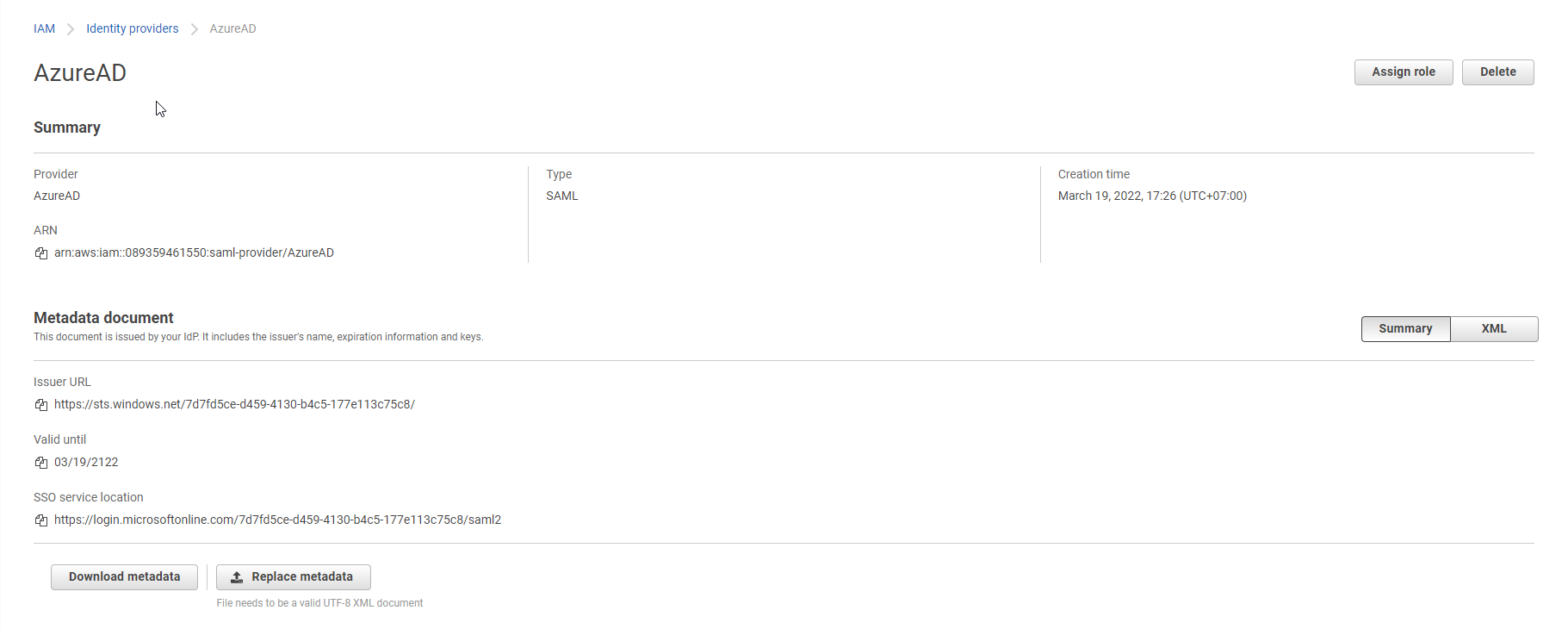
Tạo Identity providers trên AWS
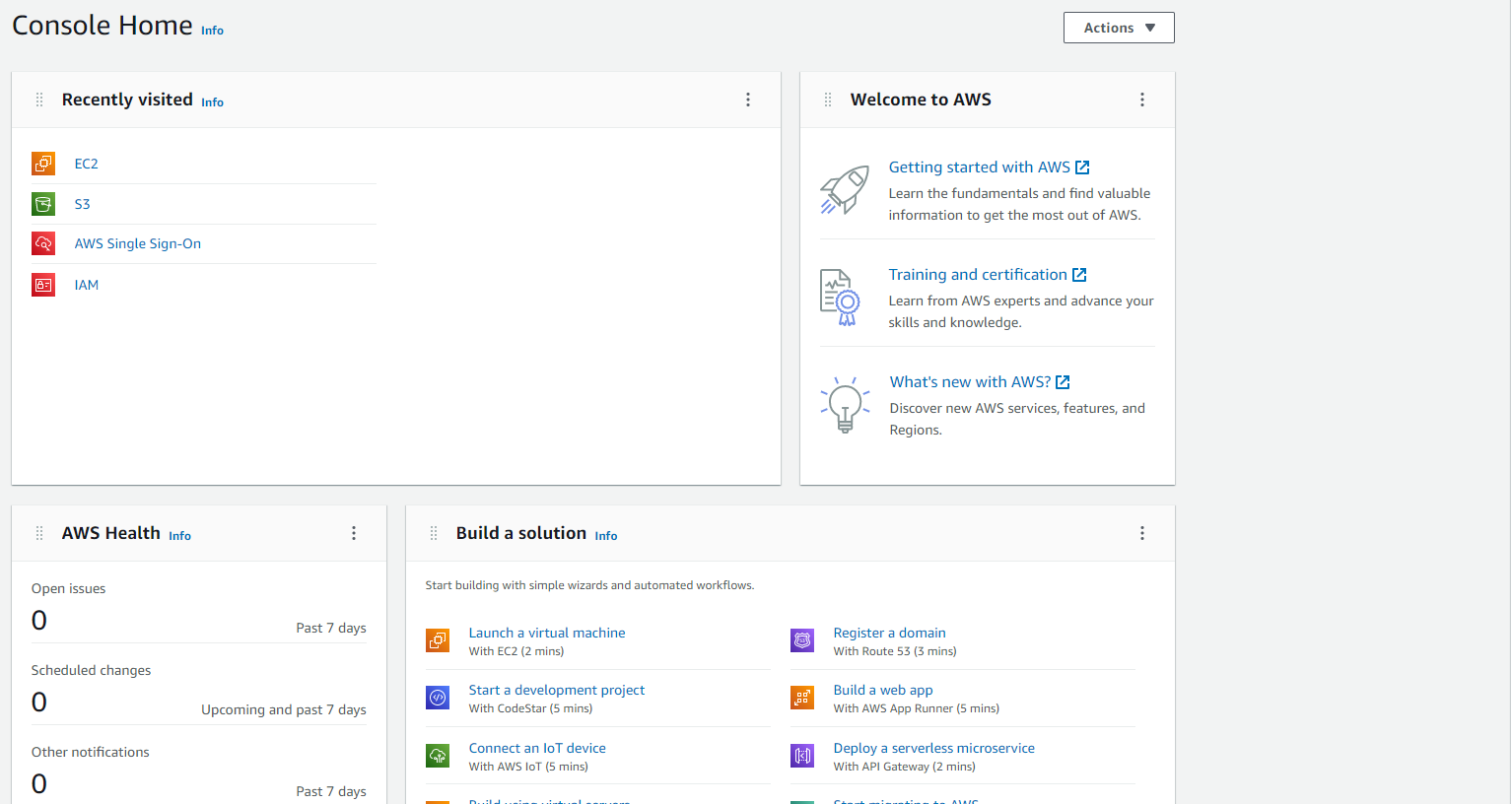
- Đăng nhập vào AWS Console
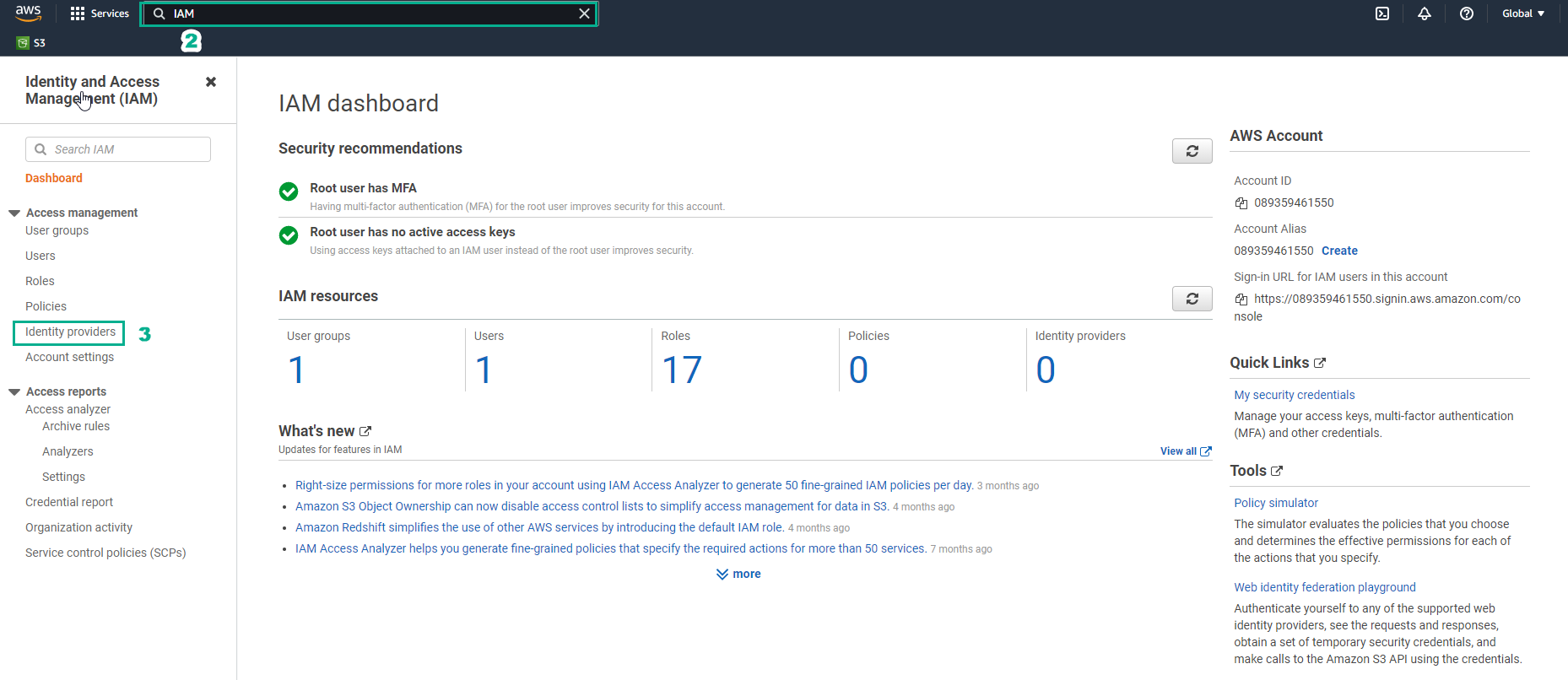
- Tìm IAM và chọn đến giao diện Identity and Access Management (IAM)
- Chọn Identity providers
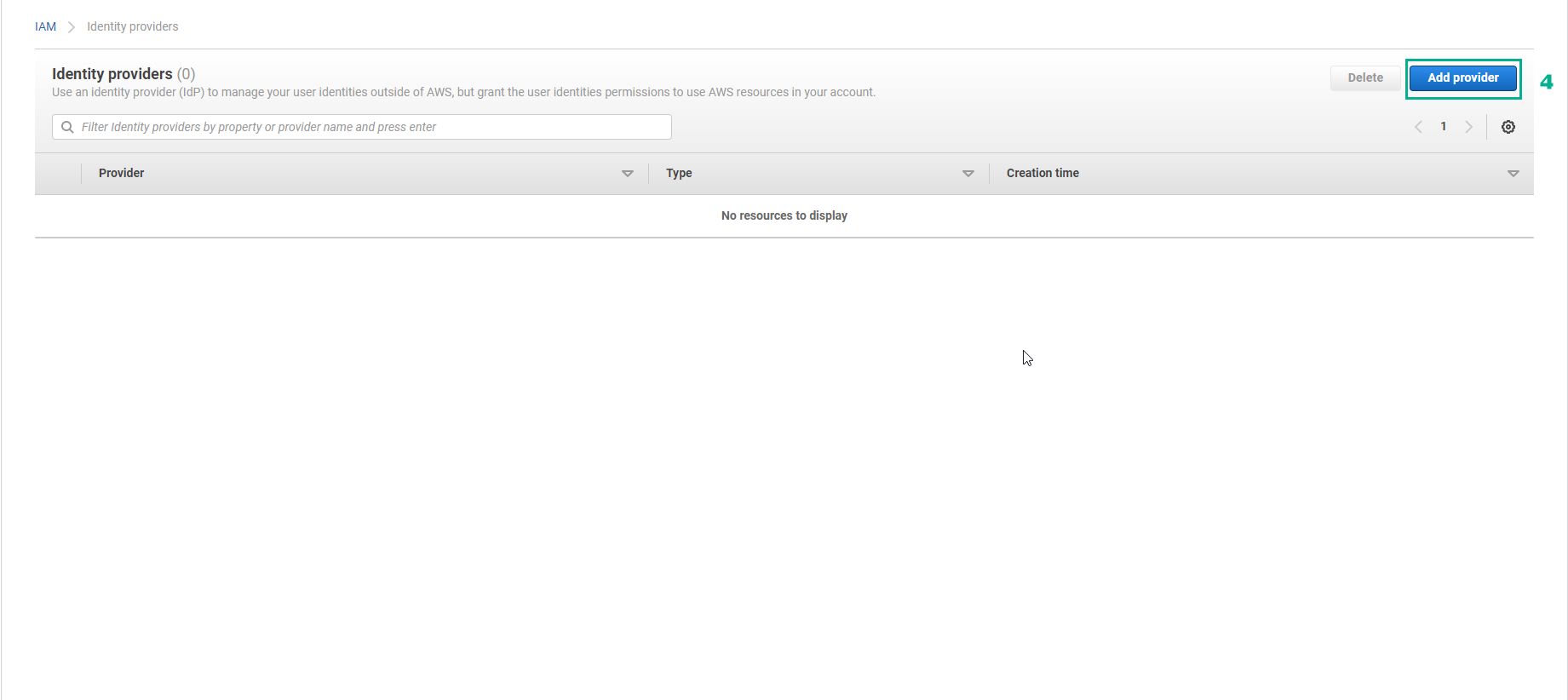
- Tạo Identity Provider, chọn Add provider
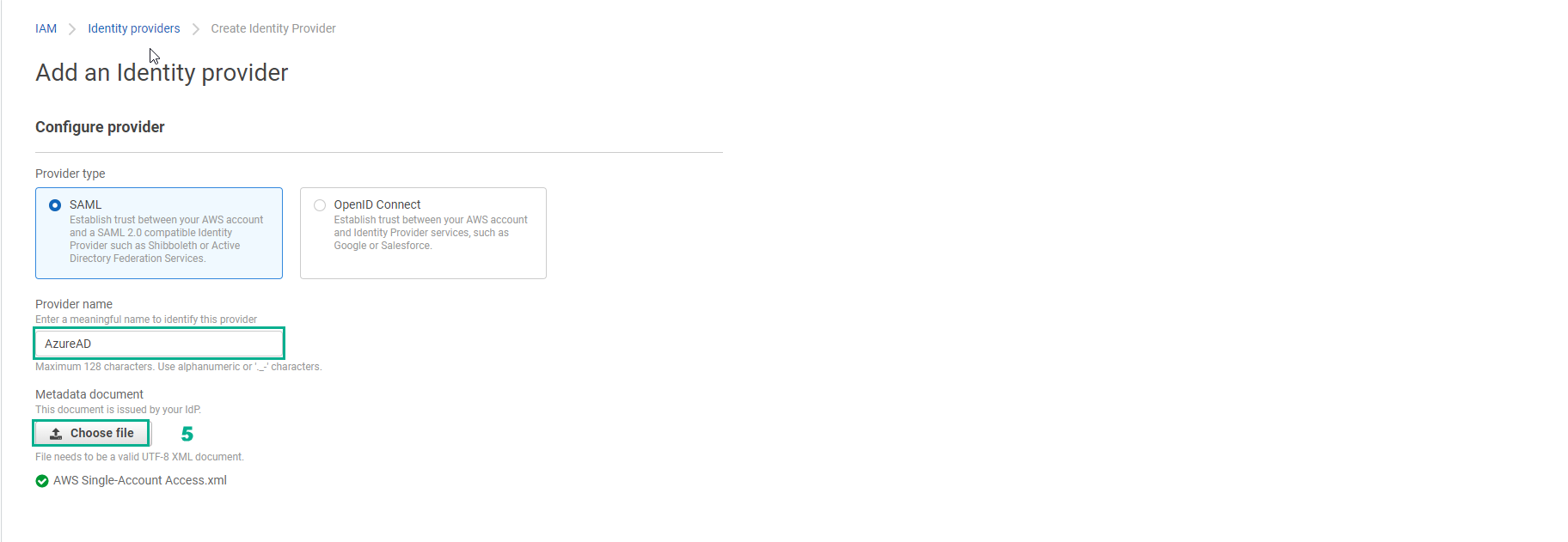
- Trong Add an Identity provider, phần Configure provider
- Provider type, chọn SAML
- Provider name, nhập
AzureAD
- Metadata document, chọn Choose file và upload metadata file AWS Single-Account Access.xml
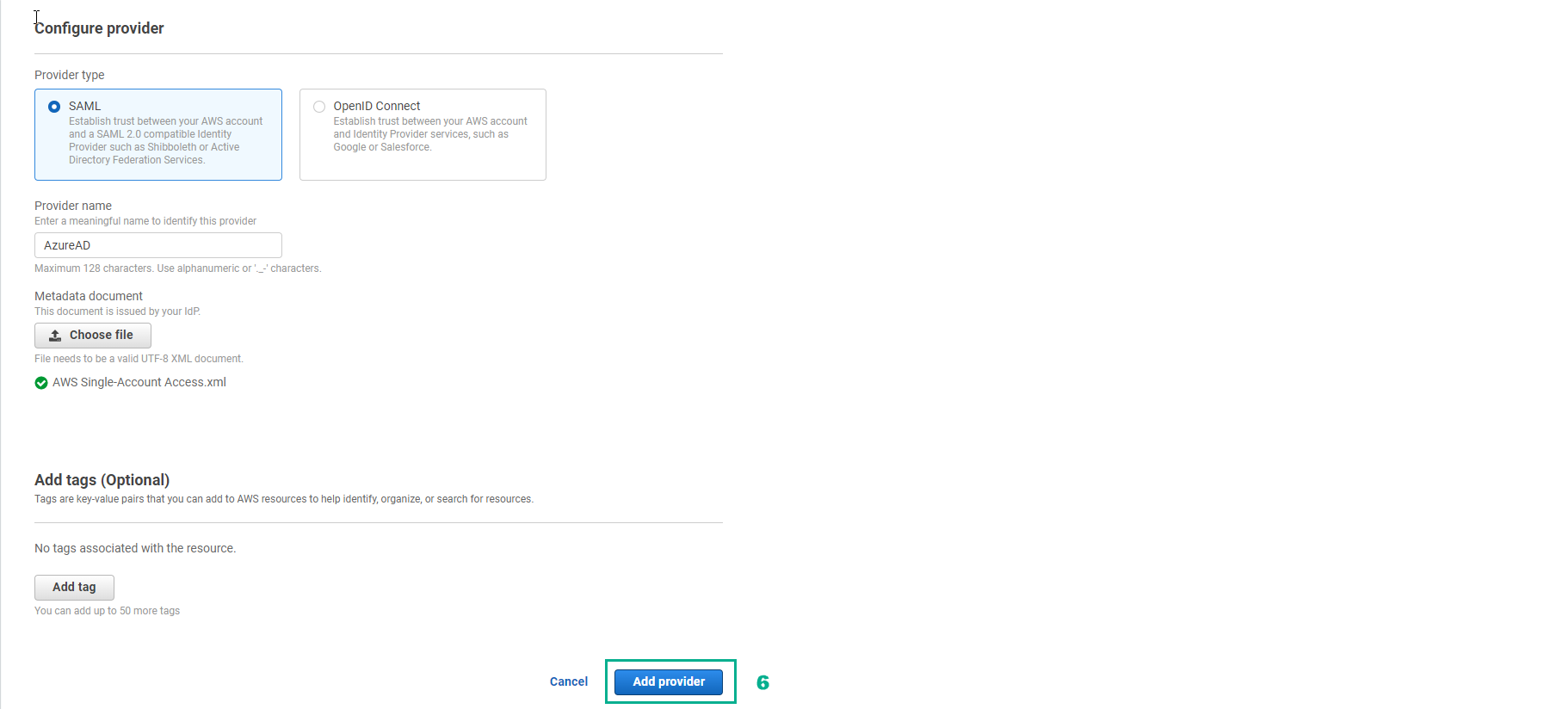
- Chọn Add provider
- Chọn View provider để xem chi tiết.
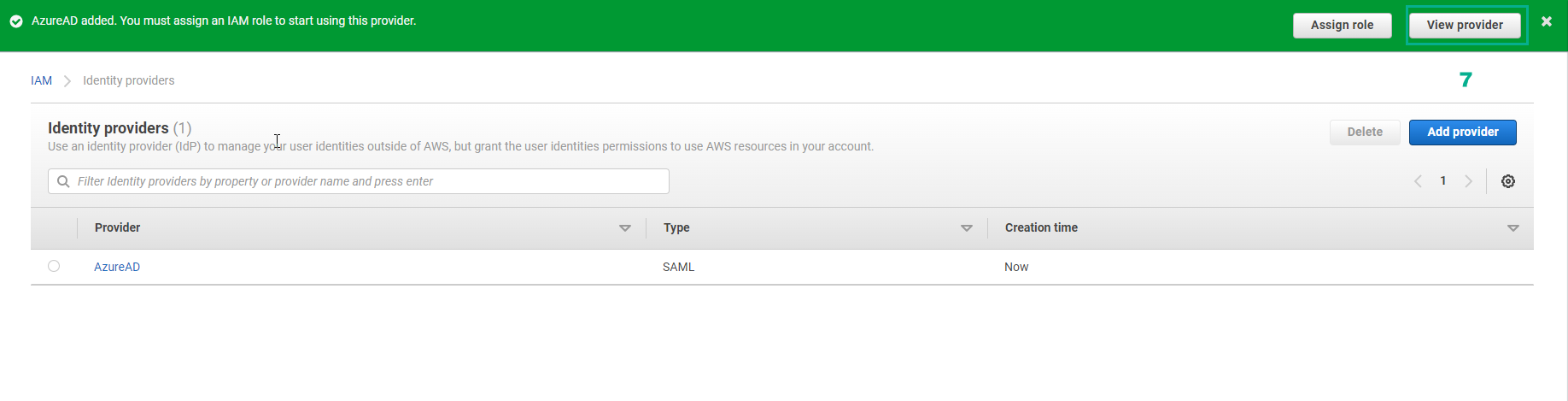
- Chúng ta đã thành công tạo AzureAD Identity Provider trên AWS.