Create Azure AD Users
Azure AD has a group creation feature to manage the set of users and assign permissions to the group. The use is also simple, but to use it, it is necessary to upgrade the Azure account, so I will only guide the integration of authorization via User in this lab.
In this lab, create 02 users aws-1 and aws-2.
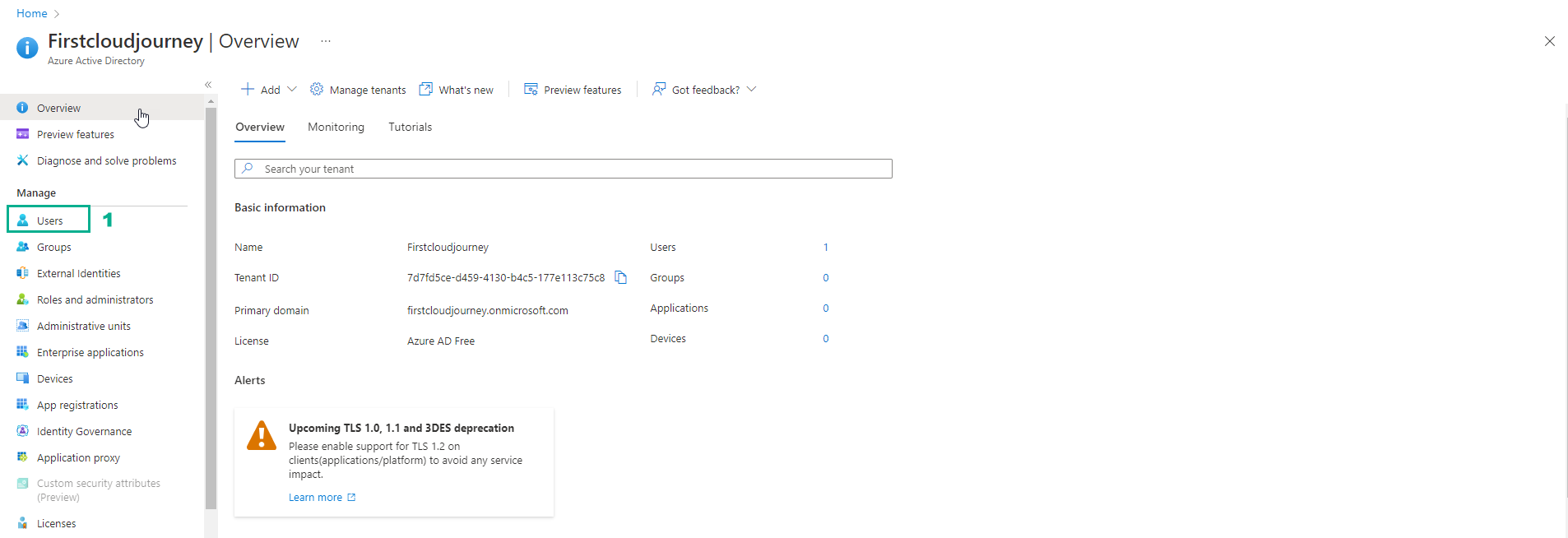
- Select Users
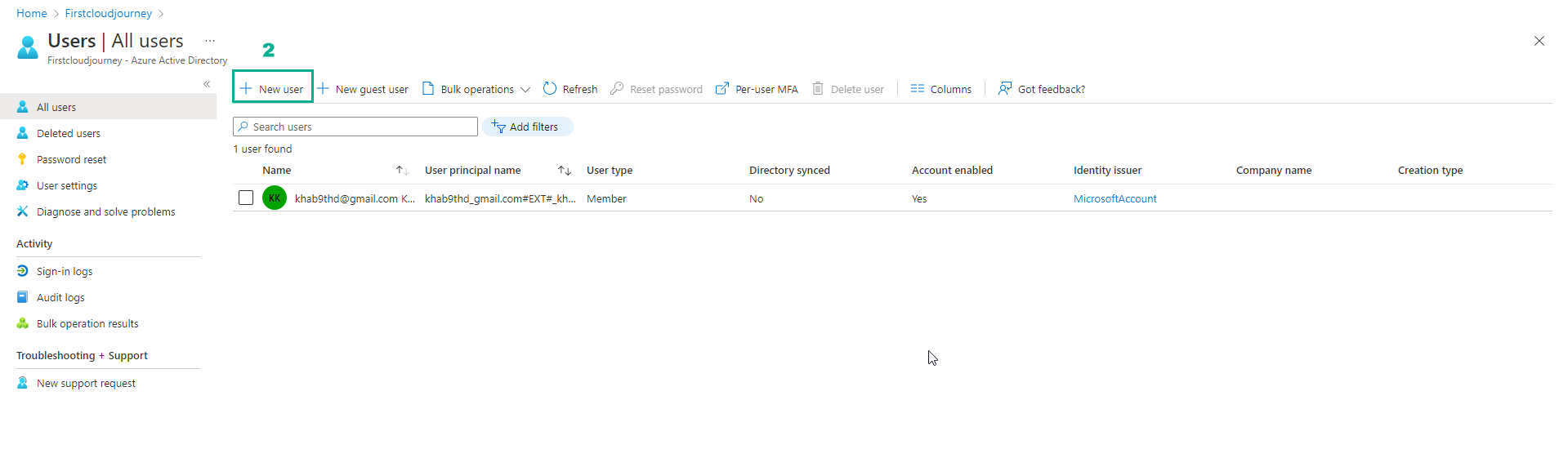
- Select New user
- In Identity
- Enter User name. Example:
aws-1 - Enter Name. Example:
AWScloud-1
- Password section
- Select Let me create the password
- Initial password, enter a password with a minimum length of 8 characters and the following requirements:
- Lowercase characters
- Uppercase characters
- Numbers (0-9)
- Symbols (@ # $ % ^ & * - _ ! + = { } | \ : ’ , . ? / ` ~ " ( ) ; < > )
- Example:
Admin@aws123
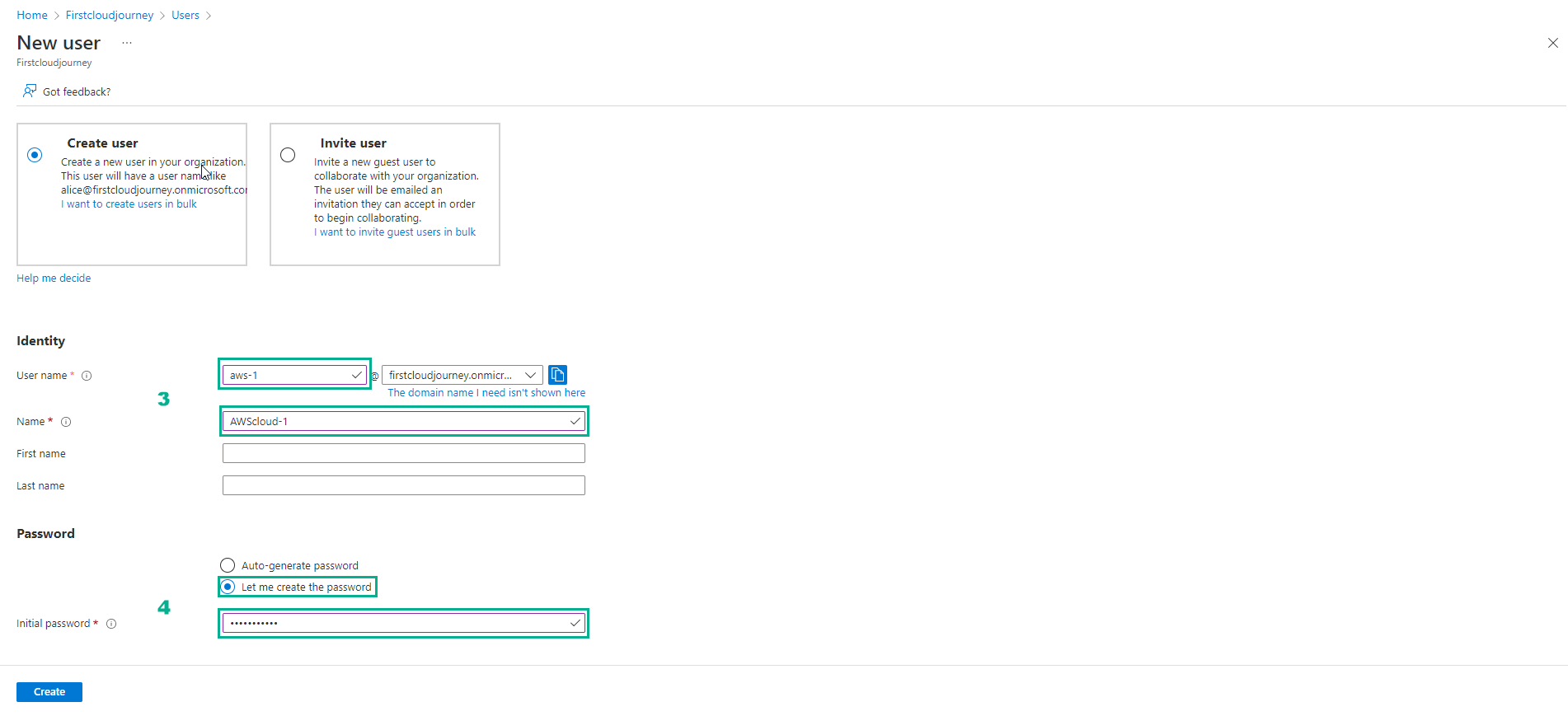
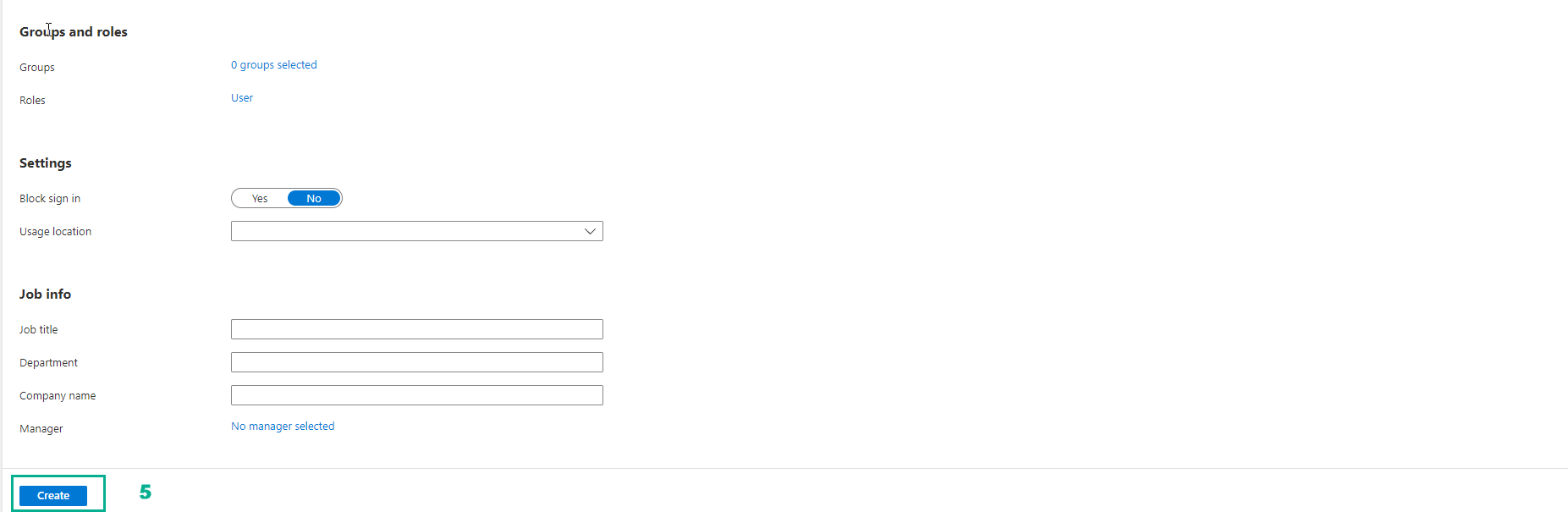
- Leave the rest blank, then select Create
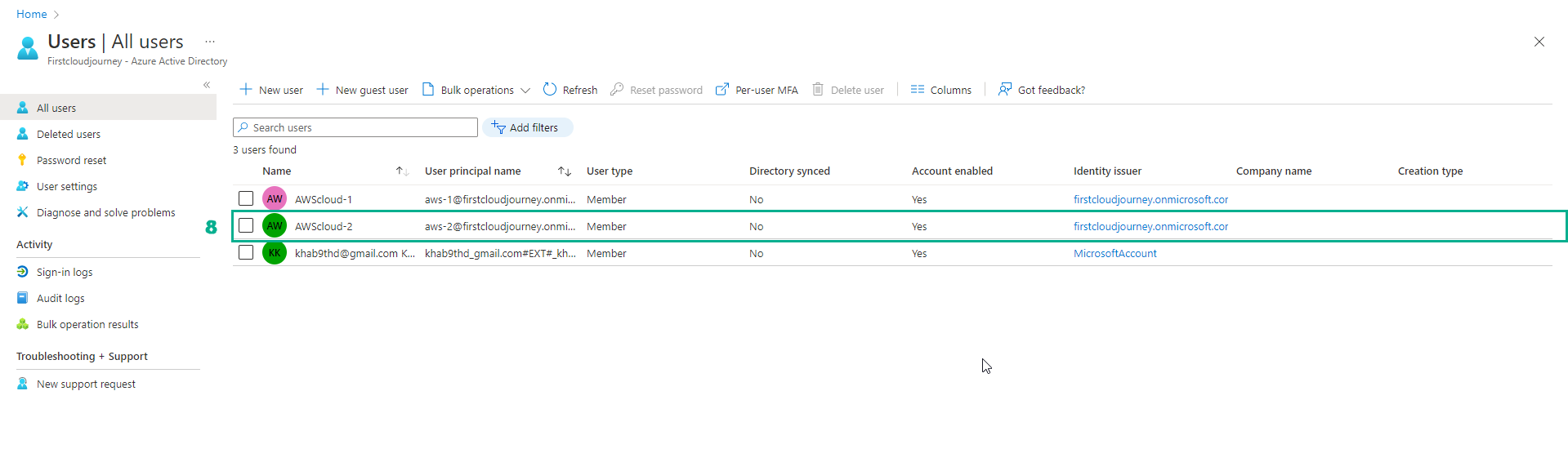
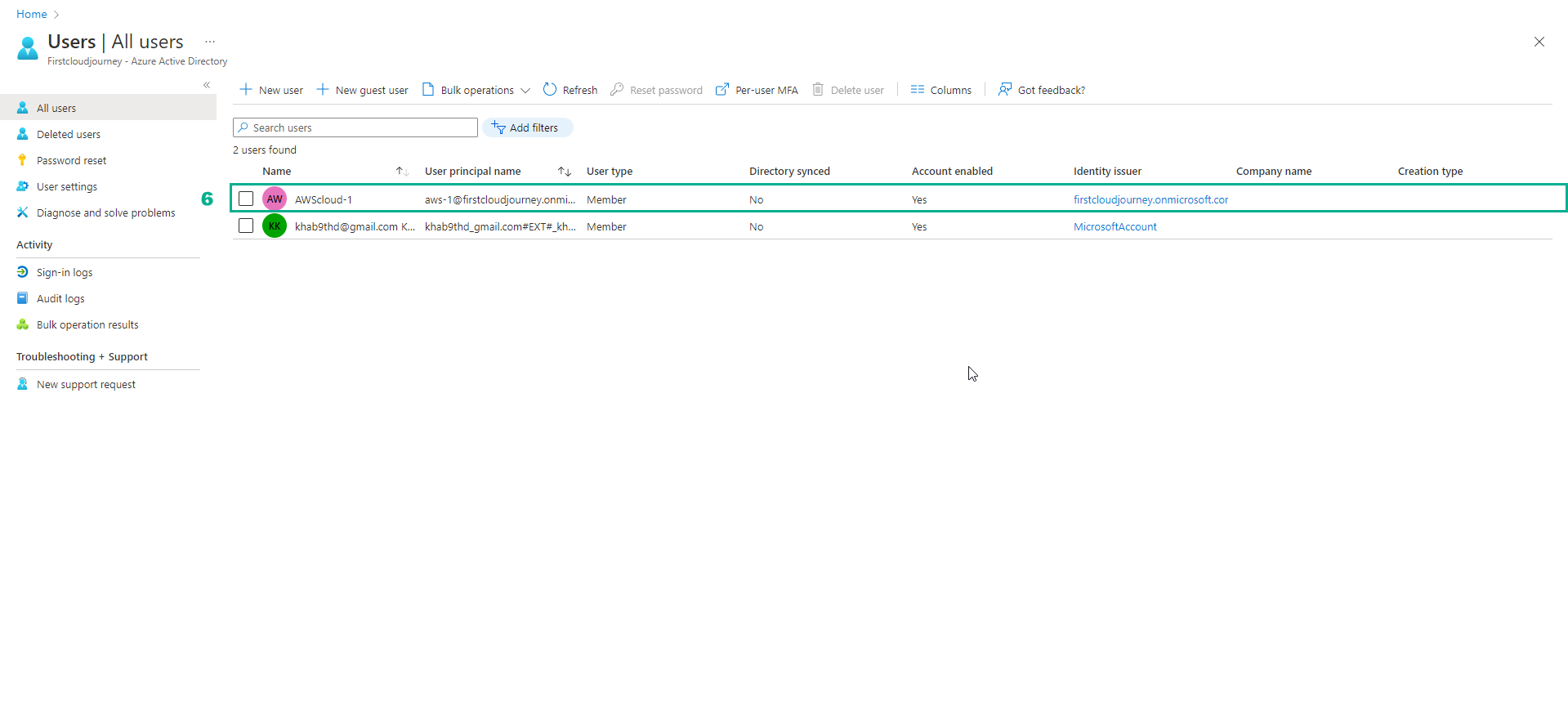
- After creating the user, we have the following list of users:
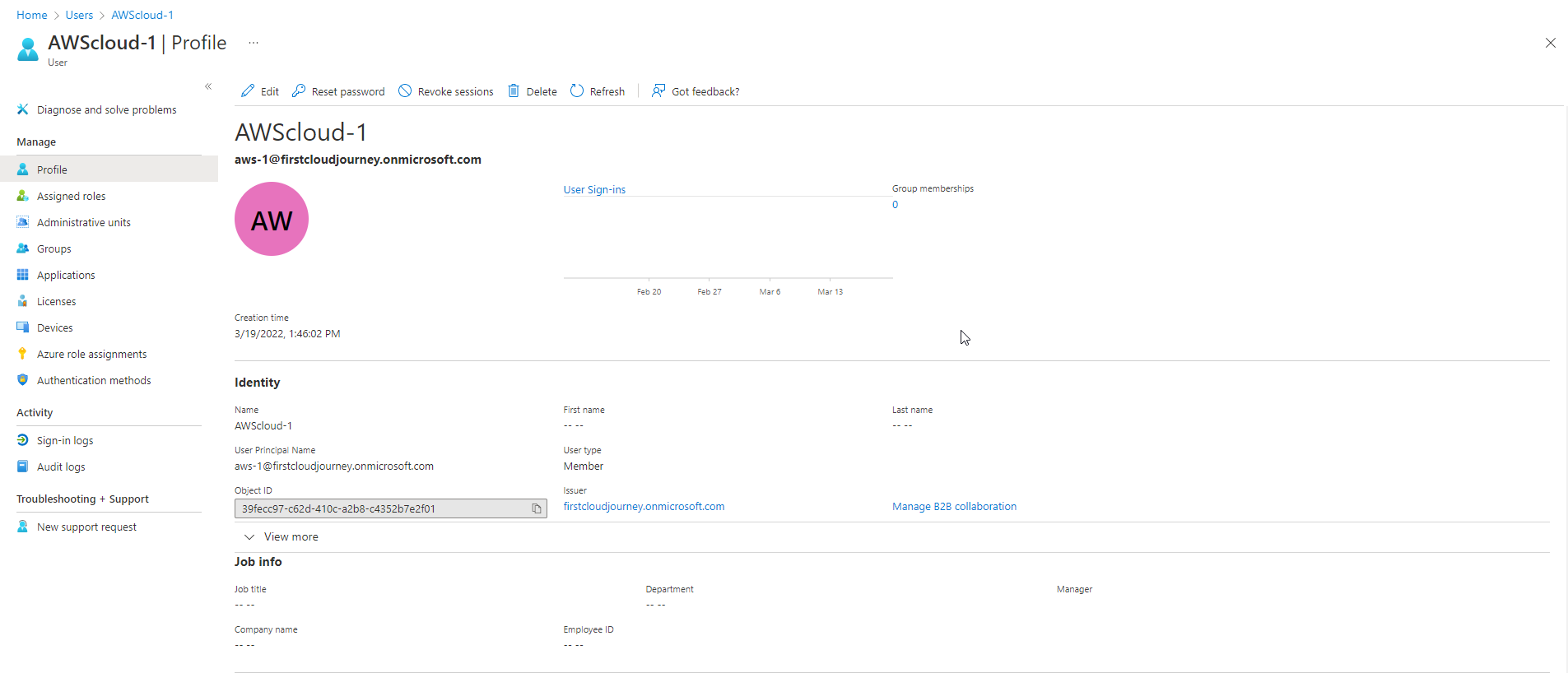
- Select user name and view details
You can create more users to give labs more scenarios.
- Create a new user named aws-2